

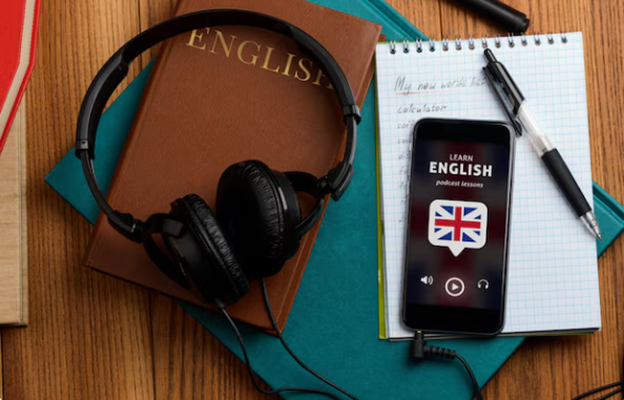
English learners no longer need to wait for a textbook to practice. AI now gives them a place to write, speak, read, and test ideas at any time. A student can prepare for an exam after dinner. A manager can polish an email before a meeting. A self-learner can open a language chatbot and practice small talk without fear. The best AI language learning app depends on the learner’s goal. Some people need grammar correction. Others want better pronunciation. Many need more words, more confidence, or faster replies in real conversations. Modern AI learning apps can support all these needs, but each tool has its own strong side. Good AI language learning tools do more than fix mistakes. They explain why a phrase sounds wrong. They offer better word choices. They adapt tasks to the user’s level. They also let learners repeat the same skill until it feels natural.
Responsible AI Use in English Practice
AI can sharpen English writing fast. It fixes grammar, swaps weak words, and shapes messy notes into clear text. Yet learners should not hide the tool. A chatbot for language learning may guide a draft, but the final version must still sound like the writer, with their level, rhythm, and ideas. This matters in class, at work, and in formal applications. Before sending essays, reports, cover letters, or business messages, learners can use an AI detector by Getsolved to review authenticity and show fair AI use. The check may reveal text that feels too polished, flat, or distant. The best routine is simple. Ask AI for feedback and study the correction. Rewrite the sentence yourself and save useful phrases. Then use them again in speech or writing. This process builds real skill, not just a clean-looking answer.
ChatGPT by OpenAI
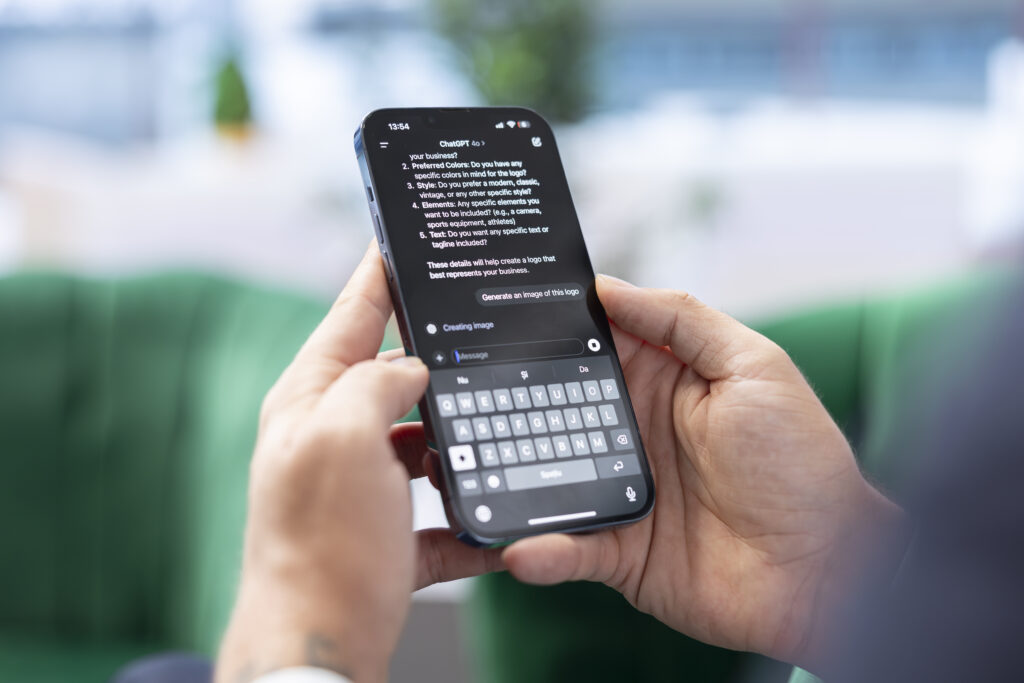
ChatGPT gives English learners a wide practice space. It can teach, edit, quiz, and talk. That range makes it useful for students, professionals, and solo learners. As a conversational AI app, it works well for role-play. One day, a learner can rehearse a hotel check-in. The next day, a job interview, a doctor’s visit, a client call, or an IELTS speaking answer. After each reply, ChatGPT can correct errors and explain better choices. It also grows vocabulary. Ask for ten phrases for meetings, travel, or academic essays. Then turn them into quick drills and short answers.
Strengths:
- Gives detailed grammar and writing feedback.
- Adapts tasks to different levels.
- Supports speaking, writing, reading, and exam prep.
Weaknesses:
- May sound too formal without clear prompts.
- Can give long answers when short ones work better.
- Needs active use, not blind copying.
Google Gemini
Google Gemini fits learners who want English tied to real life, not only textbook rules. It handles text, images, and voice, so practice feels less flat. A learner can upload a street sign, menu, chart, or work document and ask, “What does this mean in simple English?” That turns daily objects into lessons. Gemini also helps with reading. A student can paste an article and request the main idea, key words, and short questions. A professional may simplify a report before a meeting. Step by step, Gemini turns passive reading into active practice. It can also support exam preparation. For example, learners can ask Gemini to create reading questions, explain difficult sentences, or compare two sample answers. It works best when the learner wants quick help with mixed content.
Strengths:
- Handles images, text, and voice.
- Explains reading materials clearly.
- Creates useful exercises from real content.
Weaknesses:
uI
- Feedback may feel less personal than a tutor’s.
- Some answers need checking.
- It is less focused on pronunciation than speech apps.
Microsoft Copilot

Microsoft Copilot suits people who use English on the job. It helps shape emails, reports, meeting notes, slides, and everyday documents and works better as a practical writing partner. Write a rough email, then ask Copilot to clean the tone, cut extra words, or explain business phrases. It can also rebuild bullet points for a presentation. Small changes matter. “I need this file today” sounds blunt. “Could you please send the file by the end of the day?” sounds clear and respectful.
Strengths:
- Helps with professional writing.
- Improves emails, reports, and presentations.
- Teaches tone through practical examples.
Weaknesses:
- Offers limited pronunciation support.
- Works best inside Microsoft tools.
- Feels less like a full English course.
Speakly
Speakly helps learners move words from memory into speech. It does not push random lists. It focuses on phrases people can use in travel, work, and daily talk. Many learners know plenty of English, yet freeze when they need to answer quickly. It also gives daily structure. Self-learners often lose time deciding what to study next. Speakly removes that pause. A user learns common phrases, repeats them, and meets them again in context. Bit by bit, speech becomes faster and less forced. The app fits travel, social chats, and simple work situations. Before a trip or meeting, learners can practice sentences they may need soon. Among AI learning apps, Speakly works best for habit, order, and useful vocabulary.
Strengths:
- Builds practical vocabulary.
- Supports regular daily practice.
- Helps learners form useful sentences.
Weaknesses:
- Gives less freedom than open chatbots.
- Offers limited writing feedback.
- May feel too basic for advanced learners.
Replika
Replika gives learners a quiet place to use English without pressure. Many people know the words, but they tense up with real speakers. They worry about slow replies, odd grammar, or unclear pronunciation. Replika lowers that fear. The app suits casual practice. Users can discuss weekend plans, films, food, travel, work stress, or simple feelings. The tone stays friendly and light, so learners answer faster and worry less. A five-minute chat may do more than another silent grammar exercise. Replika will not replace a teacher. It may miss errors, and it does not build exam skills in order. Still, it turns English into social practice, not only school work. It helps learners start, continue, and return tomorrow with less fear and more ease.
Strengths:
- Makes casual practice less stressful.
- Helps shy learners write more often.
- Builds a habit of daily conversation.
Weaknesses:
- Does not focus on grammar correction.
- Gives limited exam support.
- May allow mistakes to pass.
How Learners Can Use These Tools
A smart learner does not need every app. Two or three tools are enough. The right mix depends on the goal. For speaking, use ChatGPT or Replika for role-play. For writing, use ChatGPT or Copilot to revise emails, essays, and reports. For reading, use Gemini to explain articles and create questions. For vocabulary, use Speakly and ask ChatGPT for extra examples. Professionals can follow another path. Draft an email and ask the Copilot to improve tone. Ask ChatGPT to explain the changes. Save three new phrases. Use them in the next message or meeting.
Conclusion
The best AI language learning app depends on the learner’s main need. ChatGPT gives broad support. Google Gemini helps with reading, images, and mixed tasks. Microsoft Copilot improves workplace writing. Speakly builds practical vocabulary. Replika supports relaxed chat. AI tools for language learning can make English practice more personal and less lonely. They give feedback fast, allow repetition and help learners test new words before real conversations. Yet progress still needs effort. Learners must speak, rewrite, review, and use English outside the app, and lessons with native human teachers are also highly recommended to reach more ambitious language goals and sound more natural. A good language learning AI can guide the process. The learner still owns the result.